



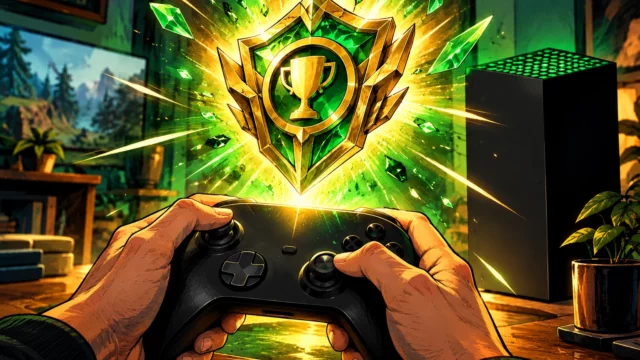
Finishing a game and completing everything it asks of you are two very different accomplishments. For years, Xbox players could accumulate thousands of Gamerscore points without receiving a single, recognizable award for mastering an entire game’s original achievement list. Xbox Mythic Achievements finally change that distinction.
Microsoft’s October 2026 system update, released to everyone starting October 28, goes considerably further. Alongside this new completion milestone, Xbox Series X|S and Xbox One owners gain more control over their libraries, profiles, startup screens and local storage. Some changes are cosmetic, but others could make everyday console use noticeably easier.
Xbox Mythic Achievements finally reward completed games
The biggest addition gives achievement hunters something they have wanted for years: a permanent recognition for completing every original achievement in a game. Unlike a standard Gamerscore milestone, Mythic status identifies an entire base-game achievement list as finished.
Importantly, additional achievements introduced through downloadable content or later updates do not count toward this requirement. Once unlocked, Mythic status cannot be taken away. That avoids an irritating situation where a game receives new DLC and suddenly stops being considered complete.
There is another welcome detail. Microsoft’s earlier official explanation confirmed that eligible games completed in the past can receive Mythic recognition retroactively, including Xbox 360 titles. Players can check their total in the Gaming tab of their profile, while individual achievement lists show how close they are to earning another one.
The comparison with PlayStation’s Platinum trophies is unavoidable, especially after the feature’s September reveal. However, Xbox is taking its own approach by connecting Mythic recognition with existing achievement histories. For players working through demanding challenges, such as the Best of the Best achievement in Star Wars Galactic Racer, having a clearly defined final completion target adds another reason to finish what they started.
Your Xbox achievement history is becoming easier to explore
Recognition would mean considerably less without a practical way to revisit completed games. Fortunately, the update also improves how achievement collections are organized.
Instead of relying primarily on recently played titles, players can now sort their achievement libraries by game name, completion percentage, earned Gamerscore or number of unlocked achievements. Each sorting method supports ascending and descending order, making it easier to identify unfinished games or rediscover older accomplishments.
A new local search function also works across My games & apps, official club achievement lists and the Gaming tab of player profiles. Combined with existing filters, it should reduce the time spent scrolling through increasingly large collections.
Meanwhile, profile badges receive a more substantial presentation. Selecting one reveals high-resolution artwork and information about how and when it was obtained. Players can showcase up to five badges on their profile card or hide individual badges from public view. The Rewards tab has also moved out of the profile, with a My Rewards button now available on the Welcome tab.
Storage cleanup and dashboard freedom could matter even more
Although Mythic Achievements will attract the headlines, better control over local game saves may prove more useful during everyday play. Xbox now allows users to view, sort and remove unused local save data individually or in bulk.
Storage warnings can take players directly to the relevant management screen, avoiding unnecessary navigation. However, deleting local data still deserves care. Anyone unsure whether a save has been synchronized should confirm its cloud backup before removing anything important.
The Home screen is becoming less restrictive, too. Pressing the Menu button on an item in the recent games and apps row allows it to be removed, including the Play History tile. Additionally, pressing the right thumbstick activates an immersive background mode that temporarily hides the interface and displays the selected dynamic or custom wallpaper.
Microsoft has also introduced selectable startup animations covering different Xbox generations. The options live under Settings > System > Startup, where players can also choose whether the animation plays with sound. These adjustments might seem minor individually, but together they make the console feel more personal.
Remote Play and cloud gaming receive practical improvements
Another significant change concerns players who regularly move between their television and other devices. Xbox Series X|S Remote Play now supports streaming at up to 1440p, alongside increased video bitrates on compatible devices.
There is an important requirement: the console’s display output must be configured for 1440p or 4K UHD to take advantage of the improved quality. Actual results will also depend on the receiving device and network conditions. Xbox One users should not expect the same 1440p Remote Play upgrade.
Cloud gaming becomes more closely connected with the installed-game library. Titles launched through Xbox Cloud Gaming now appear automatically in My games & apps, although they can be removed from that list. Furthermore, downloads can continue in the background while cloud streaming when the connection permits. Players who prefer to reserve their bandwidth can disable this behavior in streaming preferences.
This is particularly interesting alongside Microsoft’s broader efforts to connect its subscription services with the console experience. As previously explored in our coverage of personalized Xbox Game Pass discounts, Microsoft has been adjusting how players access its gaming ecosystem. The latest interface changes address a different part of that relationship: making cloud activity feel less separate from the games people already own or use.
How to install the October 2026 Xbox update and what it fixes
The new software is available for Xbox Series X, Xbox Series S and Xbox One. Its official version number is 10.0.26100.9647, with the public rollout beginning on October 28, 2026.
Most consoles will install the update automatically. Anyone wanting to check manually can open Settings > System > Updates and look for the available system update.
Beyond the visible features, Microsoft has reworked underlying party chat infrastructure with future reliability and security in mind. The console also now uses a native interface when displaying disc-to-digital licenses that are no longer accessible, rather than opening a web page.
Several frustrating problems have received fixes, including consoles starting on a black screen, Home refreshing repeatedly and downloads appearing to stop unexpectedly. Microsoft also addressed missing images or text for certain compilation discs, focus problems in My games & apps and memory or performance issues affecting very large libraries.
These improvements deserve attention because system stability is just as important as adding features. Similar priorities appeared in Sony’s recent PS5 system update and dashboard changes, although each platform is pursuing different ways to improve the console experience.
Ultimately, Xbox Mythic Achievements give completionists a new reason to revisit their gaming history, but the October update’s wider significance is player control. Cleaner libraries, better save management and more flexible personalization could benefit people who never chase a single achievement. Which change will make the biggest difference to your Xbox experience?

Creator of the website, Pokemon trainer by nature. Trying to report on everything related to the world of video games, series and movies. Yu-Gi-Oh is my weakness, collecting cards since the dawn of time.