



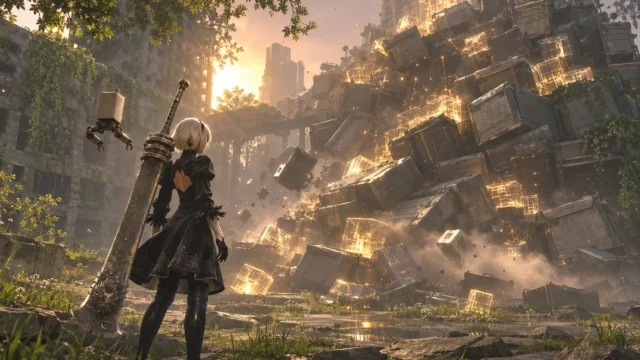
Trying to install NieR:Automata on Steam only to find that it demands much more storage than expected? Before clearing space or changing your PC setup, there is a simpler option. Following the November 6, 2026 update, the game’s team acknowledged an installation issue and provided a temporary way to download the base game without the excessive storage requirement.
The solution involves disabling DLC through Steam’s own settings. Below, we explain how to apply it, what you should know before doing so, and how much storage the game officially requires.
NieR:Automata can be downloaded with the intended storage requirement by disabling DLC
If Steam is requesting an unusually large amount of disk space, the developers recommend changing the game’s DLC selection before downloading. This is a temporary workaround officially provided by the NieR:Automata team, rather than an unofficial modification or a community-discovered trick.
Follow these steps in Steam:
- Step 1. Open Steam and navigate to your Library.
- Step 2. Find NieR:Automata in your list of games.
- Step 3. Right-click NieR:Automata and select “Properties”.
- Step 4. Open the “DLC” section inside the Properties window.
- Step 5. Uncheck every DLC item listed for the game.
- Step 6. Return to the game in your Library and proceed with downloading the base game.
According to the official Steam announcement explaining the installation problem, disabling these items allows the base game to download using the intended amount of storage.
There is one important limitation. Steam does not install DLC while its corresponding checkbox is disabled. Therefore, this method is intended for players who want to download the base game without the additional content selected. It should not be confused with a permanent repair for the underlying issue.
The NieR:Automata November update introduced new languages alongside the installation issue
The problem emerged following an update released on November 6, 2026, Japan Standard Time. That patch added Simplified Chinese, Traditional Chinese and Korean language support to the Steam version.
However, the update also left some players facing an installation requirement significantly larger than intended. The development team has confirmed that it identified the problem, is investigating its cause and is working toward a solution. It also apologized for the inconvenience.
At the time of the official notice, no release date had been announced for a permanent fix. Likewise, the team did not provide a confirmed technical explanation or specify the exact amount of excess storage requested. Consequently, players should avoid treating any particular download-size figure as an officially established value.
This is an installation-space issue, not a reason to assume that the game’s published hardware requirements have permanently increased. For perspective, PC players have also faced different kinds of technical disruption, including the Dark Souls multiplayer shutdown linked to security concerns. The causes are different, but both situations demonstrate why checking official developer guidance matters before attempting an improvised fix.
NieR:Automata still lists 50 GB in its minimum and recommended PC requirements
One particularly useful detail is the storage figure published on the official NieR:Automata Steam store page. Both the minimum and recommended configurations specify 50 GB of available storage.
That figure provides a useful reference when evaluating the unexpected installation request. However, it should not be interpreted as a guarantee that Steam will always display precisely 50 GB during every installation process.
Minimum PC requirements
- Operating system: Windows 7, Windows 8.1 or Windows 10, 64-bit.
- Processor: Intel Core i3 2100 or AMD A8-6500.
- Memory: 4 GB RAM.
- Graphics: NVIDIA GeForce GTX 770 with 2 GB VRAM or AMD Radeon R9 270X with 2 GB VRAM.
- DirectX: Version 11.
- Network: Broadband internet connection.
- Storage: 50 GB of available space.
Recommended PC requirements
- Operating system: Windows 8.1 or Windows 10, 64-bit.
- Processor: Intel Core i5 4670 or AMD A10-7850K.
- Memory: 8 GB RAM.
- Graphics: NVIDIA GeForce GTX 980 with 4 GB VRAM or AMD Radeon R9 380X with 4 GB VRAM.
- DirectX: Version 11.
- Network: Broadband internet connection.
- Storage: 50 GB of available space.
Notice that the recommended configuration increases processor, memory and graphics specifications without changing the storage requirement. In other words, upgrading from the minimum to the recommended hardware profile does not mean allocating additional disk space according to the official specifications.
For another example of why checking published specifications is useful, Battle4Play has also covered the free GeForce 8800 GTX demo on Steam and its PC requirements.
The new language options remain separate from the temporary storage workaround
Although the November update focused on additional language support, players should distinguish those changes from the DLC settings involved in the workaround.
The Steam listing includes English, French, Italian, German, Spanish (Spain), Japanese, Simplified Chinese, Traditional Chinese and Korean. Voice support is available in English and Japanese.
Meanwhile, the official temporary instructions concern the DLC checkboxes. The announcement does not establish a specific technical connection between any individual language and the excessive storage request. It would therefore be premature to identify a particular language pack or DLC item as the cause.
For now, the most practical approach is straightforward. If NieR:Automata asks for substantially more storage than expected on Steam, open Properties, disable every item under DLC and download the base game. Keep in mind that unchecked DLC will not be installed, and that the developers are still working on a permanent solution.
Until that solution arrives, this official workaround offers a way to get the base game downloaded without making unnecessary storage changes based on an unexplained installation estimate.

Creator of the website, Pokemon trainer by nature. Trying to report on everything related to the world of video games, series and movies. Yu-Gi-Oh is my weakness, collecting cards since the dawn of time.

